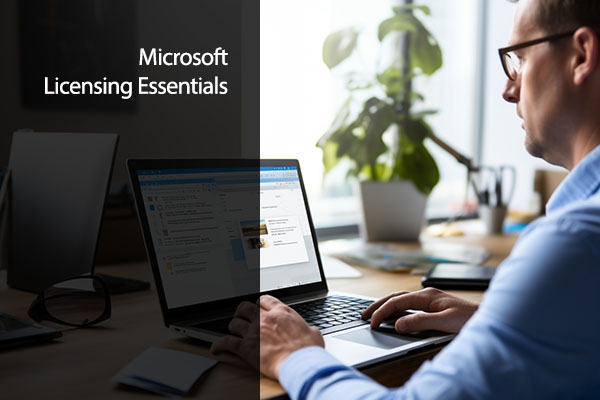
Microsoft Licensing Essentials: Understanding, Managing, and Optimizing Software Agreements
$179.00
Microsoft Licensing Essentials teaches you how Microsoft licensing works, how to stay compliant and how to cut waste. It suits IT, procurement and asset management staff, with 13 videos over 1 hour 26 minutes.
- Login details sent straight after payment
- Self-paced. Study on any device
- StemBoss Certificate of Completion
- 14-day refund promise
Secure checkout. Pay by card, Apple Pay or Google Pay.
Microsoft Licensing Essentials is a short course that explains how Microsoft software licensing works and how to manage it well. It is for IT professionals, software asset managers, compliance officers and anyone who buys or manages Microsoft licences for their organisation. The course runs for 1 hour 26 minutes across 13 video lessons.
What you will learn
- Explain why software licensing matters to the business
- Use the key terms you will meet in Microsoft agreements
- Compare the main Microsoft licensing models
- Understand Volume Licensing and the Cloud Solution Provider (CSP) programme
- Choose the right Microsoft products for your organisation’s needs
- Stay compliant and get ready for a licensing audit
- Avoid common licensing mistakes
- Right-size your licences to control costs
- Plan licensing for a move to Microsoft 365
Topics covered
- Licensing basics: why it matters and the key terms.
- Licensing models: Volume Licensing, CSP and other routes to buy.
- Product selection: matching Microsoft products to business needs.
- Compliance: keeping records straight and preparing for audits.
- Optimisation: strategies and tools to cut waste and right-size your licences.
Who this course is for
- Software asset managers
- IT compliance officers
- IT staff who manage Microsoft licensing agreements
- Decision-makers who approve software spending
- Procurement teams buying Microsoft products
Before you start
You do not need any past licensing knowledge. Some experience of working in IT, or of buying software for a business, will help you link the lessons to real decisions in your own organisation. Before you begin, it is worth finding out which Microsoft agreements and products your organisation already uses. You can then compare your own set-up with each licensing model as you go, and note any gaps, overspend or compliance risks to follow up after the course.
Jobs this course supports
- Software asset manager
- IT compliance officer
- Licensing specialist
- IT procurement manager
| Skill level | Intermediate |
|---|---|
| Duration | 1 Hour 26 Minutes |
| Videos | 13 Lesson Videos |
| Questions | 20 Test Questions |
| Prerequisites | No licensing background needed. Some experience of IT or software buying helps. |
| Best for | Software asset managers, IT compliance officers, licensing specialists, IT procurement managers |
| Topics covered | Why licensing matters, Key licensing terms, Licensing models, Volume Licensing, Cloud Solution Provider (CSP) programme, Choosing the right products, Compliance and audits, Cost optimisation |
| Format | Online video lessons, self-paced |
| Language | English |
| Certificate | StemBoss Certificate of Completion |
What is inside this course
5 modules and 13 lessons. Here is the full outline.
Module 1: Foundations of Microsoft Licensing2 lessons
- 1.1 Why Licensing Matters
- 1.2 Key Licensing Terminology Explained
Module 2: Microsoft Licensing Programs and Models3 lessons
- 2.1 Volume Licensing Overview
- 2.2 Enterprise Agreement (EA) Model
- 2.3 Cloud Solution Provider (CSP) Program
Module 3: Office vs. Microsoft 365 – Choosing the Right Plan2 lessons
- 3.1 Comparing Office Perpetual and Microsoft 365
- 3.2 Microsoft 365 Plans Demystified
Module 4: Licensing Optimization and Strategy3 lessons
- 4.1 Common Pitfalls and How to Avoid Them
- 4.2 Rightsizing Your Licensing Portfolio
- 4.3 Tools and Resources for Licensing Management
Module 5: Compliance and Audit Readiness3 lessons
- 5.1 Staying Compliant
- 5.2 Policies and Internal Governance
- 5.3 Microsoft Licensing Course Closeout, Next Steps and Recommedations
Your learning path
Where Microsoft Licensing Essentials: Understanding, Managing, and Optimizing Software Agreements fits. Build your skills one step at a time.
Frequently asked questions
Which Microsoft licensing models does the course cover?
It covers the main licensing models, including Volume Licensing and the Cloud Solution Provider (CSP) programme.
Will this course help me prepare for a Microsoft licensing audit?
Yes. It covers how to stay compliant and how to get ready for a compliance audit.
Can this course help us save money on licences?
It covers optimisation strategies and tools, how to avoid common pitfalls and how to right-size your licensing portfolio.
Is this course useful if we are moving to Microsoft 365?
Yes. It is written for organisations that are moving to Microsoft 365 as well as those managing existing licences.
How long is the course?
It has 13 video lessons with a total running time of 1 hour 26 minutes, plus 20 test questions.
Do I get a certificate?
Yes. You get a StemBoss Certificate of Completion when you finish the course.
Can I get a refund?
Yes, within 14 days if you have completed less than 20% of the course. See our refund policy for details. Read the refund policy.